Skip to content
+91 98253 20810
contact@pixeta.net
Docs
EasyEdmin Documents
Info-graphics
EasyEdmin Documents
Info-graphics
View Categories
Home
Docs
General Problems
EasyedminDesk not opening
EasyedminDesk not opening
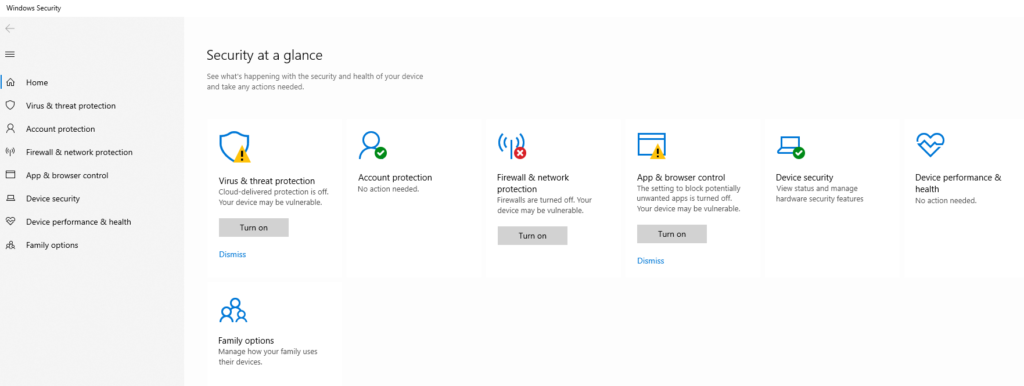
1. Open Window Security.
2. Click on Virus & Threat Protection.
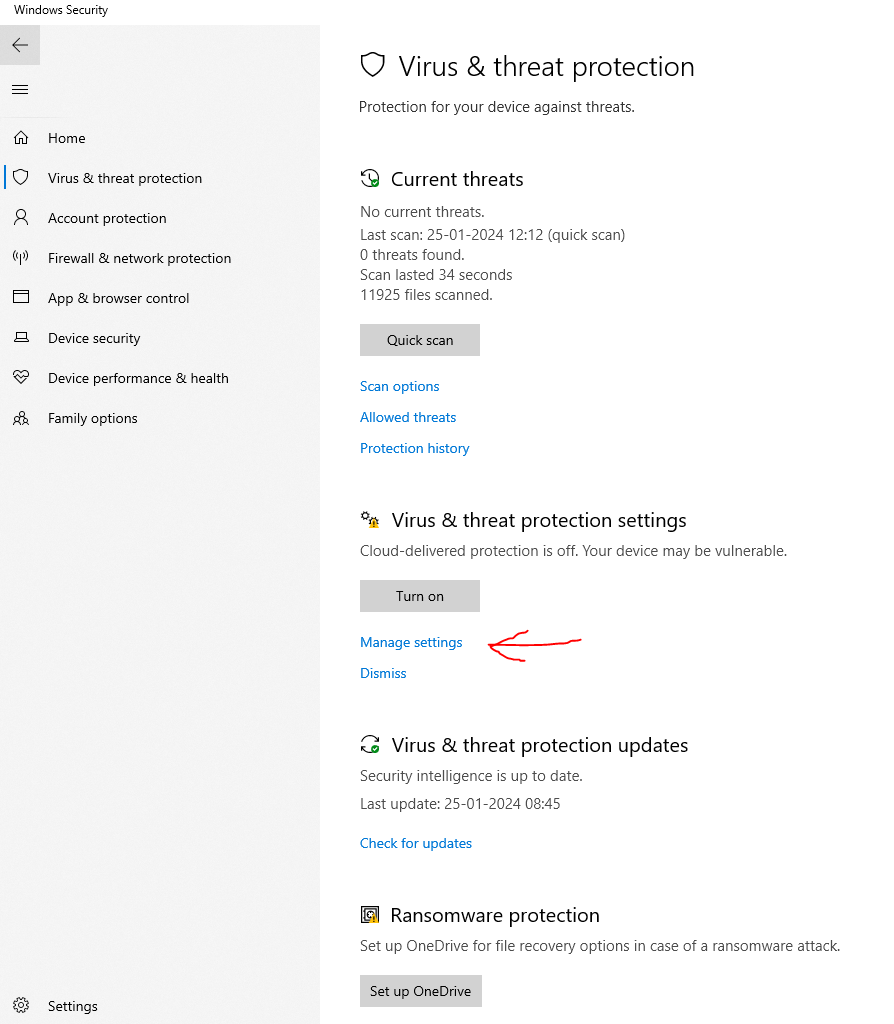
3. Click on manage settings.
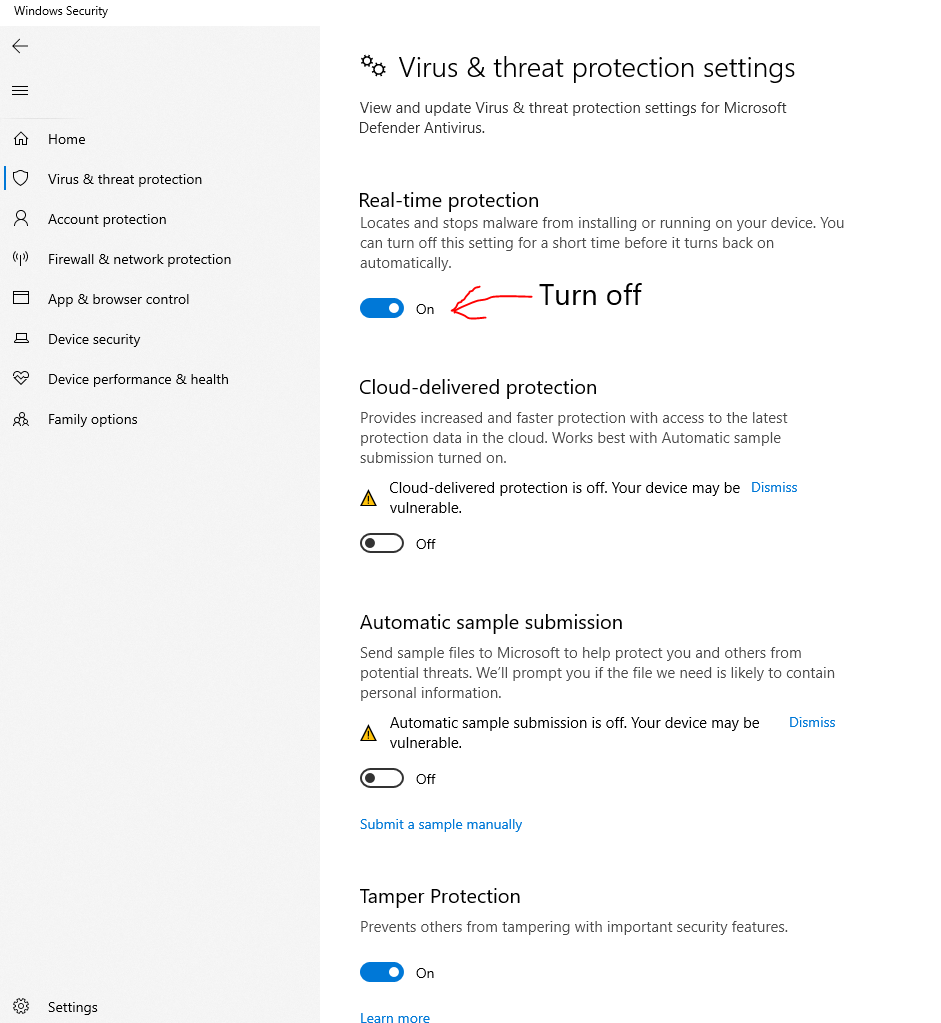
4. Turn off Real-time protection
5. When you disable the above option and then open the EasyEdmin software on your computer, everything will work properly.
Server is not connecting
Message is not received in Institute App